Showing posts with label Jessica's Story. Show all posts

Saturday, April 18, 2020

Teaching through COVID-19

Let me start out by saying that I'm not sure, after 4 weeks of this, whether I'm doing enough, too much or too little. All I know for sure is that I miss my classroom, my students, my colleagues and my normalcy. I miss fifth grade banter that made me laugh out loud on a daily basis. I miss field trips and group work and my morning high five or fist bump. I miss debriefing at the end of day with my colleagues about our shared students. I miss teaching!

Although I miss those things I am equally amazed at the way our district made it possible for us to work through this pandemic and create a virtual school setting within two days. Our IT department has made some really great decisions that have allowed us to stay connected with our students and families and provide a bit of routine as well as academics to our students. Before all of this I felt intimidated that I had to dabble in technology here and there, and I definitely dosed it out slowly as to not feel too overwhelmed. 

Now I don't know what I would do without it! My DAILY routines consists of Google Classroom, Google Slides, Jamboard, Webex Teams, Quicktime Player, Class Dojo and I even created my own Youtube channel! I feel like for the most part we are all starting to settle into a "routine" (if that is what you can call it), as we all hunker down to accept our new normal. My students started sending messages on Webex just minutes after hearing the news that we were closed for the rest of the year. I was in tears as I read their messages to one another stating their current feelings about the situation and offering support to help each other get through probably one of the most difficult times of their young lives.

Student response to school closing
My family and I getting ready for our Banting parade!
student response to school closing

These are their sentiments as well as mine. I am a teacher and a parent of the School District of Waukesha, and I couldn't be more proud of BOTH of those roles. I truly believe we are pioneers at a time where uncertainty is so prevalent. We are doing everything within our control to stay connected to our students and families, making it possible for us to continue to teach, just in a very different way. And my own children are continuing to learn, which I am so grateful for as well. But at the core of all of this craziness, I still believe that relationships matter. Not only do they matter, they are the foundation of successful schools. They are what makes my classroom management, interventions and student growth possible. Relationships are what is making this virtual learning possible.

I was keeping my fingers crossed that we would be back together again before the end of the school year. However, I will start the new school year with a very different perspective about technology and it's power, as well as a completely reaffirmed belief that being with my students and the relationships we create throughout the year are the most important part of teaching.




Friday, January 31, 2020

From Post-Its to Jamboard

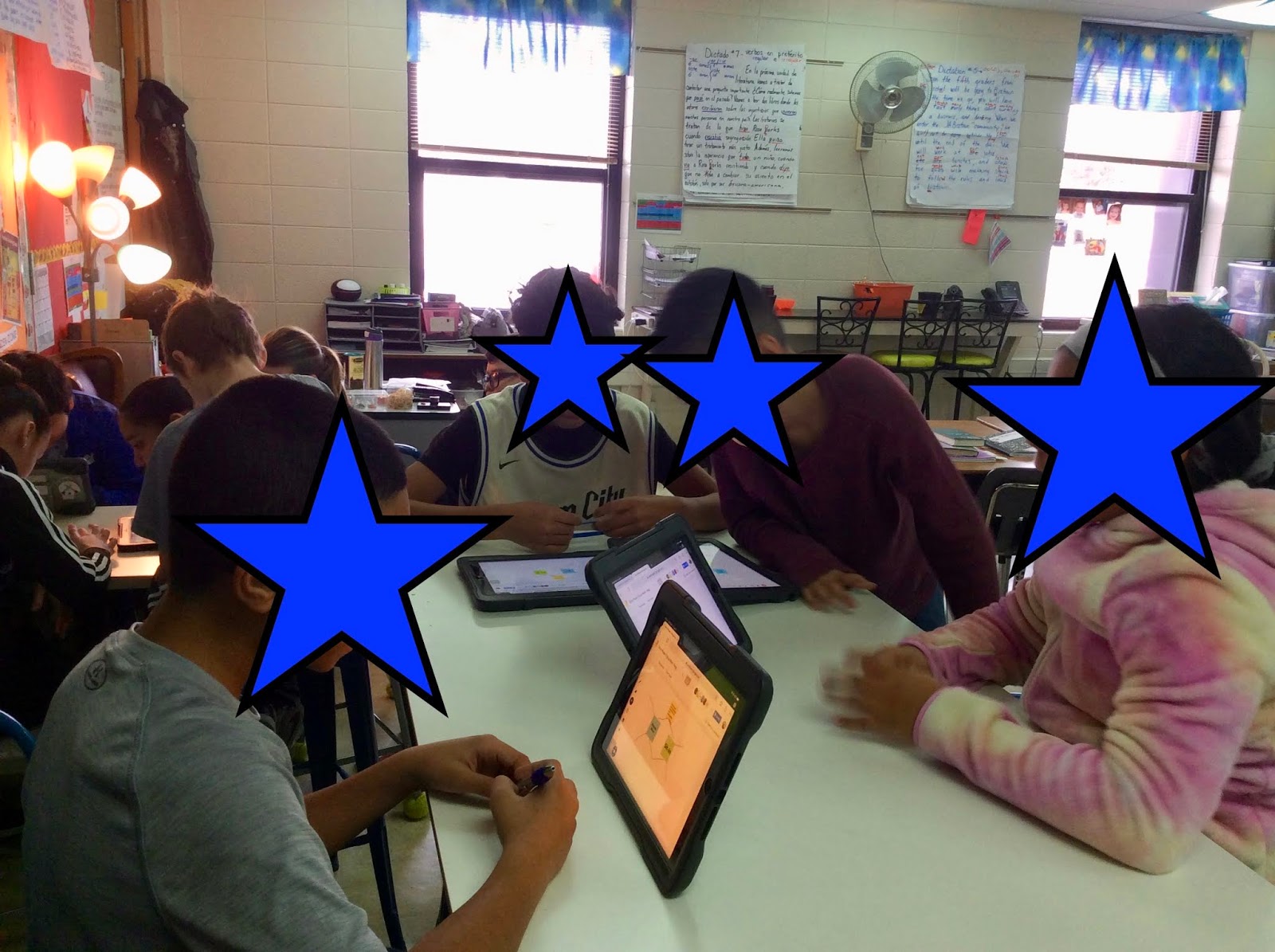
"Okay kids, make sure to refer back to today's anchor chart when you are responding to your prompt in our thoughtful logs". If you teach literacy and especially using the Comprehensive Literacy Model, you have said these words. But how do we assure students are using the resources we are providing? It's a tough job: they have to be engaged, routines have to be in place, there also has to be a system of accountability for students when they are working independently. So, on my Journey to Modification, I decide to try out Google Jamboard with my students. The results were great!
We have "bilingual" groups established and we work in them almost daily, so I sent out a Jamboard to my students and assigned a specific page for each group to work on. From my perspective, as I was walking around the room I could see that everyone was either typing their ideas or discussing them. Side note: this RARELY happens, there is usually an argument or two that I have to referee in order for some groups to get through the task. After the 15 minute timer went off we convened on the carpet and this is what I heard from my students as we reflected on the day's lesson:
  • "That was so much fun!"
  • "Everyone participated this time!"
  • "Mrs. Hegg, can we please NEVER go back to writing on boring Post-its?" 
  • "I love it when we use Jamboard"
Of course I won't say never to Post-its, but using Jamboard has really made a difference in my classroom. Those Jamboards that we created then became a resource for everyone, as they could access the information from all groups after sharing out, during their independent application time. As I settled in to work with a group of students I popped open my iPad and launched Apple Classroom just to check in and hold my students accountable for their independent work time.
This has proven necessary as many of them tend to wander on Safari instead of staying focused on the tasks for the day. To my surprise, I had 11 students on Jamboard using it as a resource while writing out their answers to the days prompt!! Score!!!


Friday, January 3, 2020

Flipping "dictados"

Spanish section of dictation notebook
English section of dictation notebook

If you ask any teacher what is one of his or her biggest challenges, I would bet a large majority would say it's time. It seems as though there is never enough time to accomplish all of the skills we want our students to have before they leave us, never enough time to teach the curriculum that our district wants us to teach and of course never enough time to allow our students to apply the skills we have tried to teach them during their time with us. With this challenge in mind, my teaching partner, Kris Carey and I, came up with a solution to give us more time. In our Dual Language classrooms, we use a strategy to help students develop language called, "dictados" or dictations. My first attempt at giving dictations with fidelity was in 2014 and I will admit it was a huge failure. I was to give 15 dictations in each language (Spanish and English) throughout the school year, so a total of 30. Well, the process took so long and I had to repeat the dictation out loud multiple times in order for all students to have a fair chance at writing down what I was dictating to them that each attempt took over 30 minutes! I did not have that kind of time and so the dictation was always put on the back burner. I would say of the 30 I was suppose to give that year, I probably made the time to give 5 or 6! So, the following year, during our days of planning prior to the start of classes, Kris and I came up with a way to streamline this process. We flipped the dictations and pushed them out to our students through Google Classroom. Each week students received a new video clip from us. We took some time that first week of school to set up the procedures around our expectations regarding these dictations. Each day they would have something to do with the dictation of the week. We alternated languages week after week. They also have a spiral notebook dedicated solely to dictations.
Video clips range from 30 seconds to 1:20

  1. Monday: Listen to the video clip and write down what you hear in your "dictation notebook".
  2. Tuesday: Receive the typed dictation script and compare it to what you wrote yesterday making corrections where necessary. (Today students also receive the mini-lesson highlighting the teaching points from the language in the video and an explanation of grammar rules and patterns to follow.)
  3. Wednesday: Practice your dictation for a second time but this time you will read it to a partner and then they will read it to you. You will both write down what you hear your partner saying to you in your dictation notebook. 
  4. Thursday: Correct the partner dictation from yesterday and practice once again using the video in Google Classroom. Make sure to correct this final dictation paying attention to any errors before tomorrow's final dictation, that is graded.
  5. Friday: Final graded dictation. Use the video from Google Classroom, and write down the final dictation on a separate piece of lined paper to turn in when completed. 

Bank of videos clips and the dictation scripts 

By the end of that school year we had our bank of 30 videos (15 in English and 15 in Spanish). We had to adjust our procedures here and there. Because this process allows for so much student autonomy we realized quickly that we needed to check in with students, some daily while others just once before the final dictation. At the end of the school year we could also say with conviction that when students followed the process and completed all parts correctly, most times,  their final dictation was at or above grade level expectations. 

First attempt in dictation notebook 

Final dictation 

So, when do students complete this process? During independent work time. It also depends on the student. I have many students that are in groups and/or receiving interventions therefore they are able to bring this work home and complete it there, because they do not have the same amount of independent work time as others. Like they say, practice makes perfect and we have found a way to embed student practice into independent work time, making these lessons accessible to all students, regardless of time. 

Friday, October 11, 2019

Meet the Teacher-Jessica Hegg

I 💗my family. Sofia and Lucas are my beautiful bilingual babies and José is my rock!

My name is Jessica Hegg. I am embarking on my 6th year as a fifth grade dual language teacher at Banting elementary and my 16th year teaching. My journey began as an elementary school teacher in Santiago, Chile. The use of technology in our classrooms at the time was non-existent. After 7 years of teaching like that you get pretty good at cutting and pasting-literally. 😂

Then we moved home to Milwaukee and I began teaching in a different district where I was in charge of my third graders and the very first wave of 1-1 iPads. I had to create a google email account for each student and set up all of their iPads with the 26 emails I had created. Yikes! 

I can say with pride that now my Banting students use technology, in a variety of ways, every day. I have tried technology in many ways over the last 9 years. Some have been successful and others epic fails. I love being a dual language teacher and my hope is that I can grow my practice each year finding ways to incorporate technology to take my student's dual language development to higher levels.