I was thrilled to be invited to participate in the Wisconsin Public Television's Education Innovation Summit on March 9, 2018. Although I had no idea what I was getting myself into, it really help with a problem I often have: finding quality, free media resources (that I don't fall in love with....and then they start to charge!) that I can easily get to students without more hassle.
I was blown away at the session by the media resources available at https://wpt.pbslearningmedia.org/ because of all the kid-safe, FREE options for all subject areas. Seriously, go right now and search something! They have everything! You can even listen to a Recorder Mentor. I mean, who wouldn't want to listen to recorder music?? Not only can you share these media resources directly through Google Classroom, you can build out you own lesson plans with a series of media as well as questions.
Wisconsin Public Television also has a website at https://wimedialab.org/ with whole pages devoted to topics like:
Wisconsin Biographies
Young Performers Initiative
Wisconsin First Nations
Saturday, March 10, 2018

Monday, February 12, 2018
Kaylee's Story
I am a First Grade teacher at Banting Elementary and I have been teaching for seven years. When I first began teaching at Banting our technology resources were that of a classroom set of 5 computers for the students to use. Nowadays, my students have been blessed by a personalized device and these devices have transformed the teaching and learning that is happening in our classrooms. It has increased the level of engagement in the classroom as well.
Most of my technology experience in the classroom I've had to self-teach myself. Some lessons have benefited greatly through the use of a device and it's resources while others lessons have flopped. But like all teaching, you need to change and modify your practice and try, try again!
I am thankful for the technology in our school district. It provides students and teachers with a different learning experience. It gives us an opportunity to learn new things that we normally wouldn't have access to. As teaching is ever evolving and getting better so are the resources we have with our technology tools and the learning experiences we can set up for our students.
Thursday, January 11, 2018
LOVE that Apple Classroom!
 LOVE that Apple Classroom
Apple Classroom is an app that I LOVE! It has become an important tool embedded in my classroom management and without it I could not function the same! Before Apple Classroom, if you wanted to be able to remotely manage what students were “on” while using their iPads, there was Casper Focus. For me, Casper Focus made a not so great first impression with “The Great Notability Takedown of 2015”. It wasn’t really that dramatic- but a mishap with Casper Focus caused Notability to be removed from my students’ iPads. Consequently, I was hesitant to use Casper Focus after that, so I was VERY excited when Apple Classroom arrived.
Why I LOVE Apple Classroom:
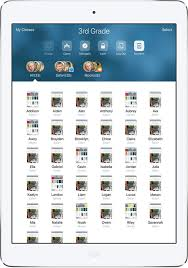
1. It takes about 10 minutes to set up Creating the class list for Apple Classroom2. Its use is intuitive-it works like any other Apple product Overview of Apple Classroom
 |
| View snapshots of student iPad screens in real time. See what all of your students are doing on their iPads while working with others students. |
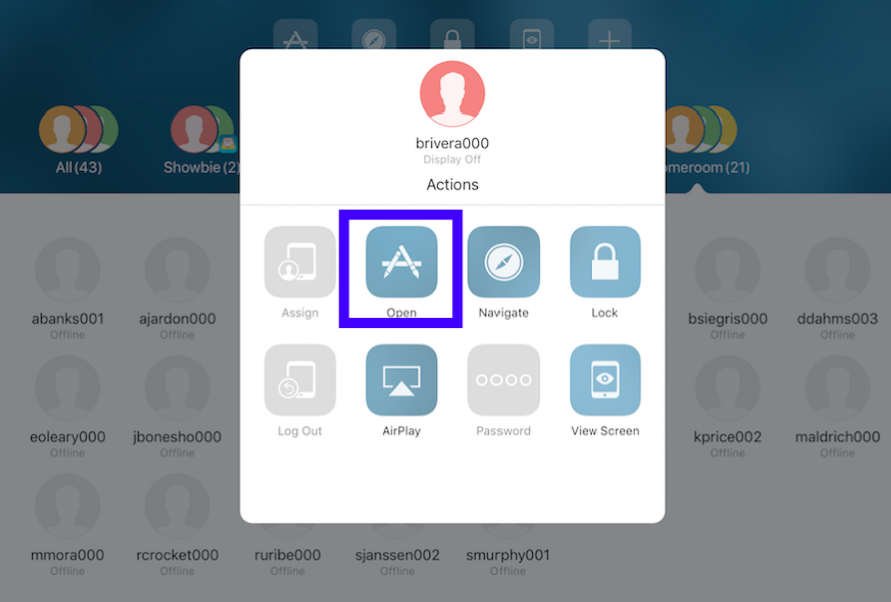
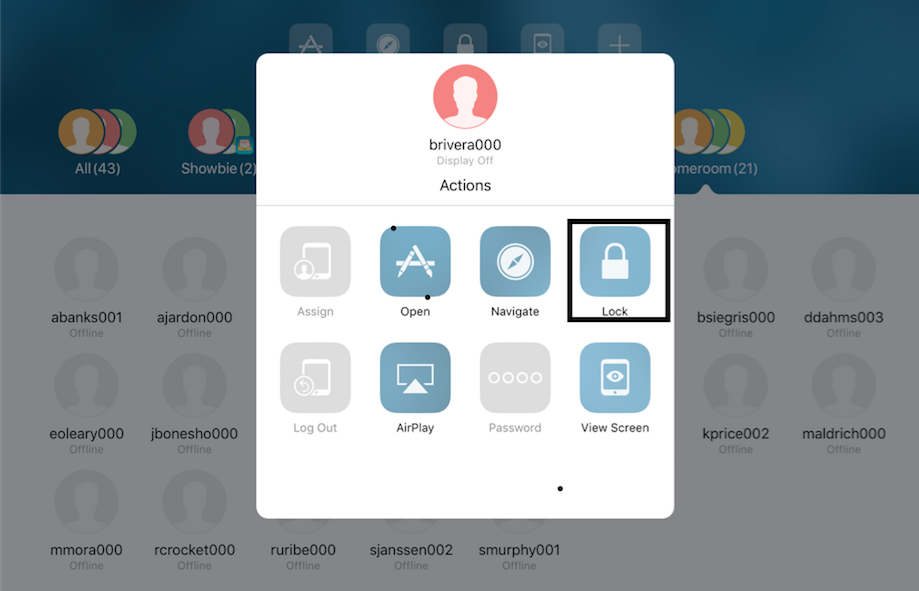 5. There is a feature to lock students into an app once they have been directed there (this is usually needed only for a couple of lovelies-not as a whole class. I want them jumping in and out of apps as needed).
6. It runs through
 Bluetooth. I believe that this is a great advantage over Casper Focus, which is more “permanent”. Some may argue that running through Bluetooth is a disadvantage because students could easily break the connection with Apple Classroom by restarting their device or by leaving the general vicinity of the classroom., but students are aware that their Bluetooth must always be on and that attempts to break the connection will result in loss of privileges or other logical consequence.
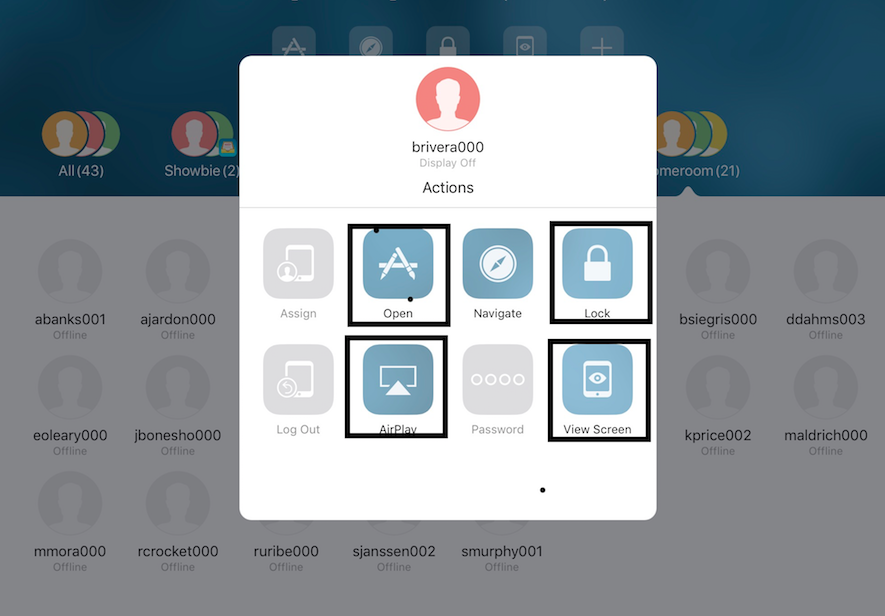 7. One of my favorite features of Apple Classroom is the ability to AirPlay any student iPad to the SMART Board. It can function much like a randomizer to keep students accountable or just for a quicker connection to the board when students are sharing out or if you want to highlight a student strategy. (It is technically AirPlaying to the Apple TV connected to the projector on the SMART Board.)
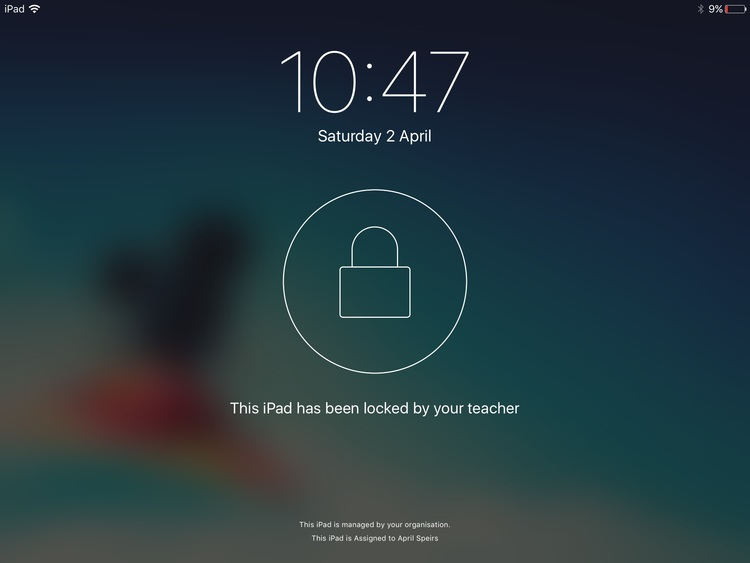 8. Another favorite feature is that I can see all student devices in one clear view. I am able to see what app each student is working in or I can see all screens at once where the small icons display exactly what is on each student screen. If I need to take a closer look at a particular student’s iPad, then it’s a quick touch and I see a larger view of that particular student iPad. There are times when that one student needs a reminder or redirection. Rather than interrupt the small group that I am facilitating at the time, I can quickly redirect by using a couple of features in Apple Classroom. I will on occasion“lock” that student’s iPad for a brief moment. They get a message on their homes screen that shows “Your iPad has been locked by your teacher”
That action usually elicits a look up and direct eye contact with me. Then I give them the “Let’s get back to work” look, exchange smiles and then unlock their iPad. This 30 second reminder/redirection is a GREAT way to non-verbally and very quickly get a student back focused with the correct task. I LOVE that I am not interrupting my small group and it gives the student a quick visual reminder.
With the many advantages I recommend that you give it a try-even if you’re feeling a bit skeptical. There are many other little features that help things run smoothly that I am sure you will quickly discover.
ENJOY!
Monday, December 4, 2017
Student Portfolios
As a music teacher, I have always struggled with assessing student performance standards like singing and playing instruments. Don't get me wrong, I do it every single day. Usually, I take anecdotal notes while everyone is working together. Individually assessing students takes a lot of time and what are the other children supposed to do while I individually assess? The music room has no desks, no independent books, and, frankly, it's hard to be monitoring others while trying to give your complete attention to the student you are assessing. Because of this, student portfolios have always been interesting to me but I have never really mastered how to make it work without a ton of additional things for me to do.
 Within Class Dojo, each class has a "story" which allows you to post things for all connected parents in the class to see. Each student also has an individual "story" which allows things to be posted for just their family to see. Or for you to view for the purposes of assessment! A perfect, already organized and created by someone else, spot to record student performances!
I have just began to mess around with this feature but it requires no additional sign in for students and teachers or students can add things to their wall. Here is an example from second grade in which students were practicing creating their own rhythms with a new note, the half note. I traveled around and took a quick video of each student clapping and saying the rhythm they composed. It was a quick post by hitting one button and then it was available for both families and myself to view.
Our school uses Class Dojo quite a bit, so I love that kids already know how it works and could, just as easily as I can, add things in their own "story" or portfolio.
Sunday, December 3, 2017
Carrie Driscoll
I am Carrie Driscoll- I am in the midst of my 7th year of teaching 4th grade at Bethesda. Along the way through those 7 years the landscape of education has greatly shifted, including the use of technology tools in and around instruction. When I toured Bethesda as a part of my interview, there was one portable Smartboard in the 4th grade pod that the teacher and students were using while skillfully trying to dance around the giant cords anchoring the board to an outlet. If you walked through Bethesda today, you would see kiddos sailing, unanchored, around the open concept pods with their iPads in a 1:1 environment.
I have been fortunate to be a part of Bethesda and along for this journey from the lonely, anchored Smartboard to untethered iPads in the hands of ALL. I LOVE using technology tools in instruction and for kiddos to create meaning to their own learning. I am usually the first one that will jump at the chance to start using a new tech tool and enjoy working with colleagues to improve our practices together.
 |
| Carrie Driscoll 4th Grade Bethesda Elementary |
As with any road there have been peaks and valleys, twists and turns and frustration and celebration. The road of “instructional technology” is no different. It can feel like the speed limitless autobahn where there is movement on all sides at an insane pace . Sometimes you’re just holding on for dear life, sometimes you’re cruising in your own lane and then sometimes you need to pull over to make sure you’re taking the right path. I hope to contribute to the learning by sharing celebrations and setbacks along my “Journey to Modification!
Tuesday, November 14, 2017
Connecting Students Across the Atlantic
I was so excited to use technology in my classroom to expose my students to another culture. With November 13-17 being International Education Week, I wanted to give my students an International experience. Two years ago I hosted Valeria, an exchange student from Italy. What a perfect connection to make with my students. Valeria and I set up a time to Skype with my class to teach them about Italy.
 |
| Valeria talking about the differences between Italy and the United States |
 |
| A few examples from Valeria's presentation |

Wednesday, November 8, 2017
Recording in GarageBand
If you weren't lucky enough to attend Brian Yearling's session during our August PD, you may not be aware but...
GarageBand
is an app that EVERYONE can use!
- Add a song or a soundtrack to Book Creator projects
- Perform written text
- Read and record non-fiction texts for others to listen to
- Create a listening library for students
- Create a soundtrack for a live presentation or an iMovie
- Add an audio portion to a “museum” walk
- Create book reviews/podcasts
Jennifer Guckenberger and I are currently working to combine our expertise to help fourth grade students create their own podcasts. So far, we have started small. In my music classroom, students learned how to record themselves singing a song we had already been working on. Students will be able to use this skill to record themselves speaking in Jennifer's room.
Once students have mastered this beginning step, students can add other musical sounds (sound effects, pre-recorded loops and music made with the instruments available in GarageBand) which will help them to complete a full podcast that sounds like a radio show, or maybe even better!
This, like all great ideas, is a work in progress.....
If you are interested in trying some recording along with us, I created this quick guide to help students get started.
Subscribe to:
Posts (Atom)